Create a device with the wizard
In Calaos Installer a device is not built IO by IO: you choose a template, fill in a few fields, and the wizard creates the device, all its IOs, links and parameters.
The six templates
| Template | Behaviour | What for |
|---|---|---|
ESPHome climate (MQTT) (esphome_climate) | relayed (proxy) | ESPHome split or heat pump that regulates by itself; optional relayed room temperature |
ESPHome IR climate (MQTT) (esphome_climate_ir) | relayed (proxy) | air conditioner driven by infrared (climate_ir): no action reported, no remote temperature |
Heating thermostat (thermostat_heat) | thermostat | one heating output switched by Calaos |
Heating and cooling thermostat (thermostat_heat_cool) | thermostat | two outputs (heat, cool): reversible heat pump on contacts, fan coils |
Reversible floor thermostat (thermostat_floor_heat_cool) | thermostat | heated and cooled floor with two outputs, with a cut before the dew point |
Reversible floor zone (thermostat_floor_zone) | thermostat | a floor zone with a single valve for heating and cooling; the heat pump is driven by rules |
Creating a device
In the tree, select the room that will receive the device.
Open the Add menu and choose Device depuis un template… (device from a template).
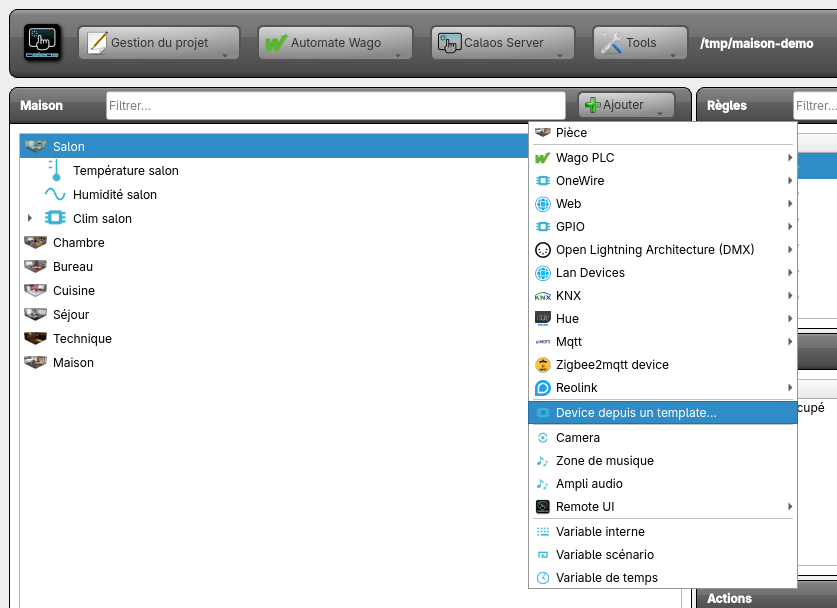 The Add menu of a room.
Choose the template, then fill in the fields. Required fields are marked; the Créer (Create) button stays inactive while a field is invalid.
Under each field, a line “Lien : label (identifier)” or “Paramètre : label (identifier)” (link / parameter) says what the field becomes in the device. The choice lists only offer IOs of the right type: a relay does not show up where a temperature sensor is expected.
Click Créer: the device appears in the room, with its IOs below it.
ESPHome climate
Main fields: the name, the room, the topic prefix and the id of the entity, the address and port of the MQTT broker (default 127.0.0.1:1883), the offered modes, “Two setpoints” or “Emulated dual setpoint”, the setpoint bounds and step, action reporting, fan and swing modes, and the room sensor to relay.
Finding it on the MQTT broker
Rather than guessing the prefix and the id, click Rechercher (Search) in the “Le trouver sur le broker MQTT” (find it on the MQTT broker) panel: the wizard listens to the broker, lists the climates it sees, and choosing a row fills in the form (prefix, id, number of setpoints, fan, swing…).
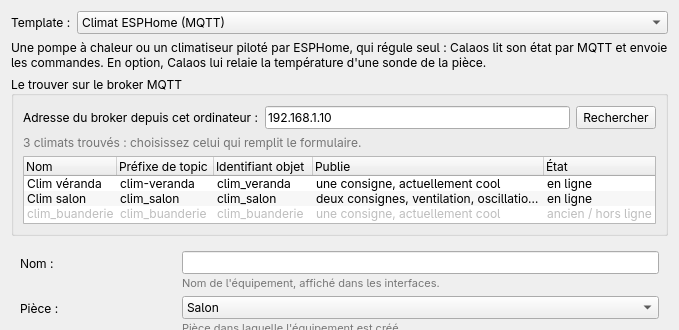 The search found three climates; the last one, greyed out, is an old node.
The details (broker used, greyed rows, errors) are in ESPHome air conditioner.
Emulated dual setpoint
For a single-setpoint air conditioner (“Two setpoints” unchecked), “Emulated dual setpoint” gives Calaos a low and a high setpoint and the auto mode: see ESPHome air conditioner. The template then sets the hysteresis to 0.5 °C, the minimum on and off times to 300 s, the changeover delay to 600 s and the minimum gap between the setpoints to 2 °C.
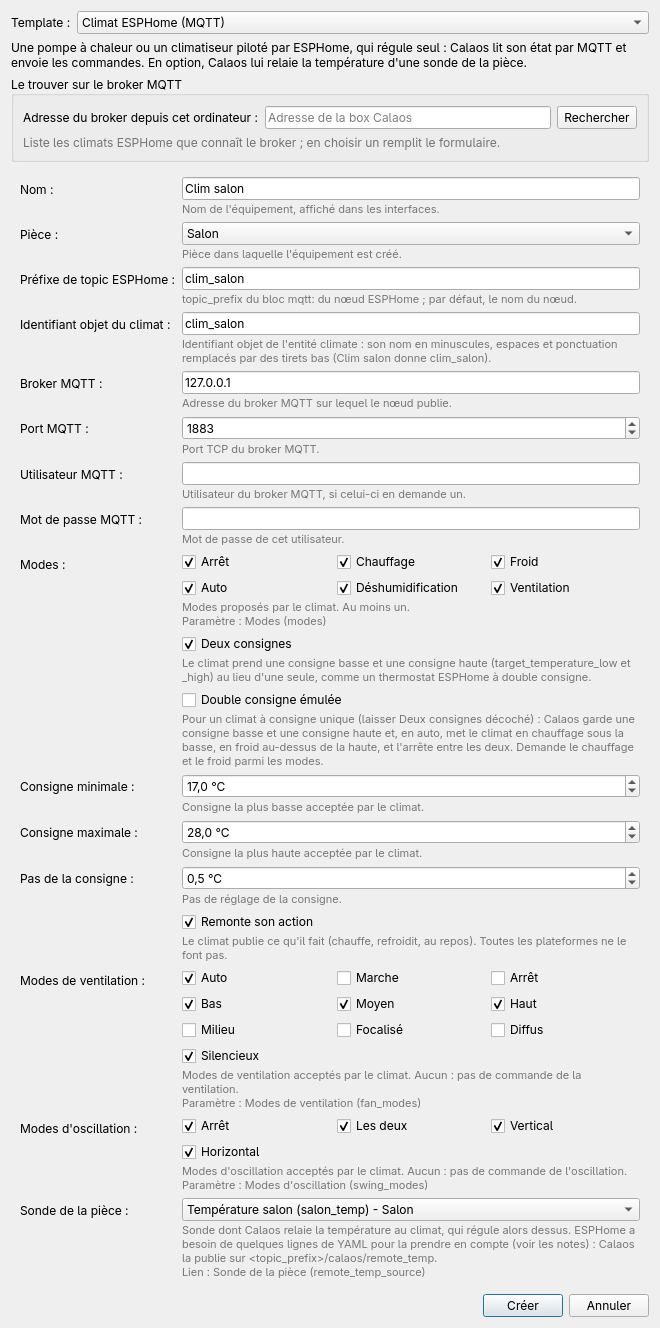 The ESPHome climate template filled in for “Clim salon”.
Defaults: all modes, one setpoint, 16 to 30 °C in 0.5 °C steps, action reported, no fan or swing. When a room sensor is chosen, the device relays its value every 120 s (remote_temp_keepalive) and sensor_timeout is 9000 s.
ESPHome IR climate
Same idea, with the off, heat, cool and auto modes, a 1 °C step, and an optional room temperature. An infrared unit has neither action nor remote temperature.
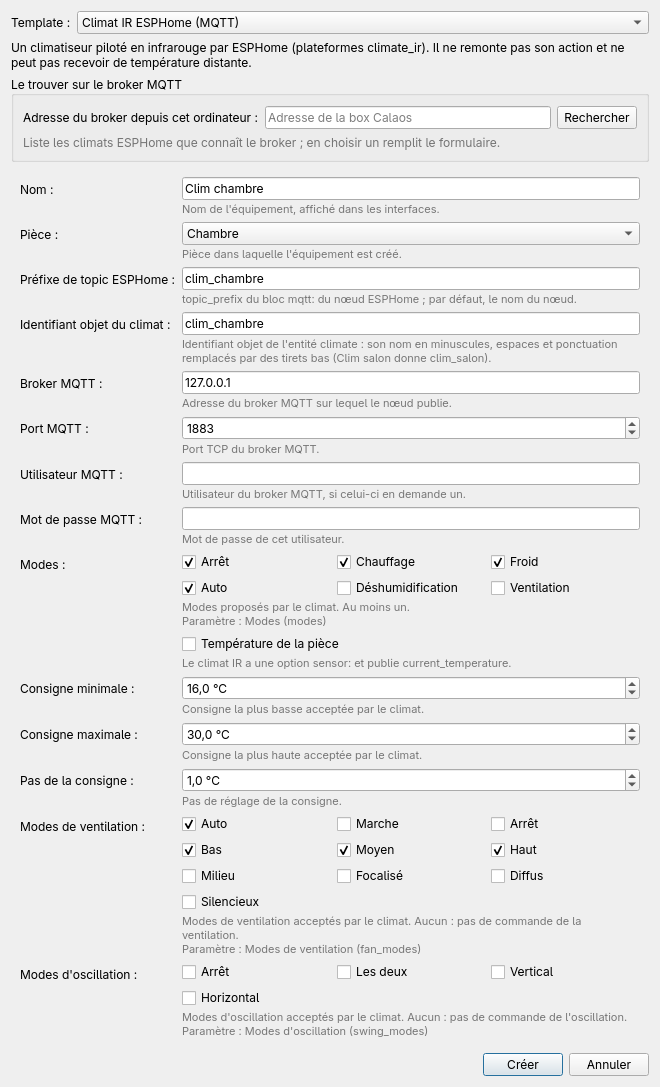 The infrared template filled in for “Clim chambre”.
Heating thermostat
Fields: the name, the room, the temperature sensor (an existing IO), the heating output (an existing relay) and the emitter. The emitter picks the hysteresis and the minimum times (see Internal thermostat). The device creates its setpoint and its action, which are internal variables. The wizard also writes the plausibility bounds of the sensor (valid_min = -30 °C, valid_max = 60 °C), which can be changed afterwards in the device editor: see Sensor out of range.
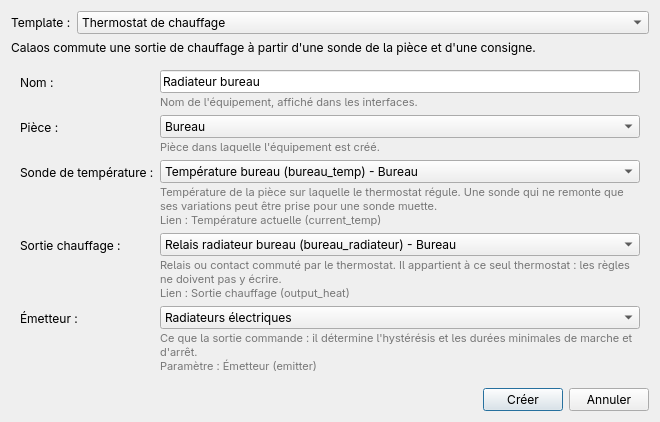 The Heating thermostat template filled in for “Radiateur bureau”.
Heating and cooling thermostat
The same with a cooling output added. The device also creates a low and a high setpoint for auto mode, at least 2 °C apart for a heat pump (1 °C for fan coils).
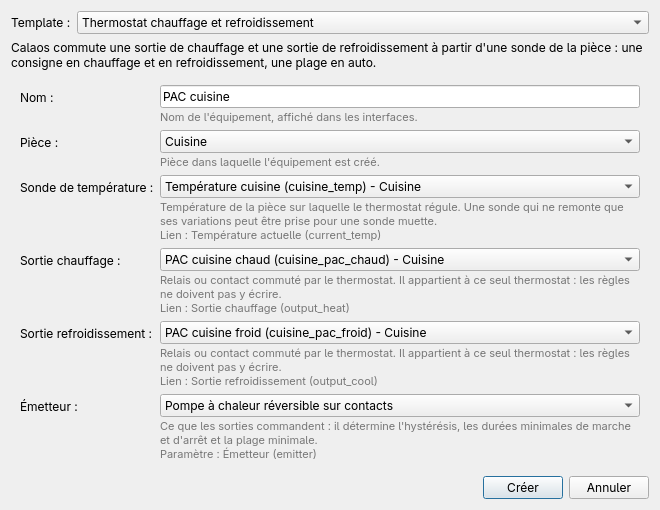 The Heating and cooling thermostat template filled in for “PAC cuisine”.
Reversible floor thermostat
Like the previous one (a heating and a cooling output), with a mandatory humidity sensor and the maximum humidity (60 % by default, from 40 to 90 %) from which cooling is cut.
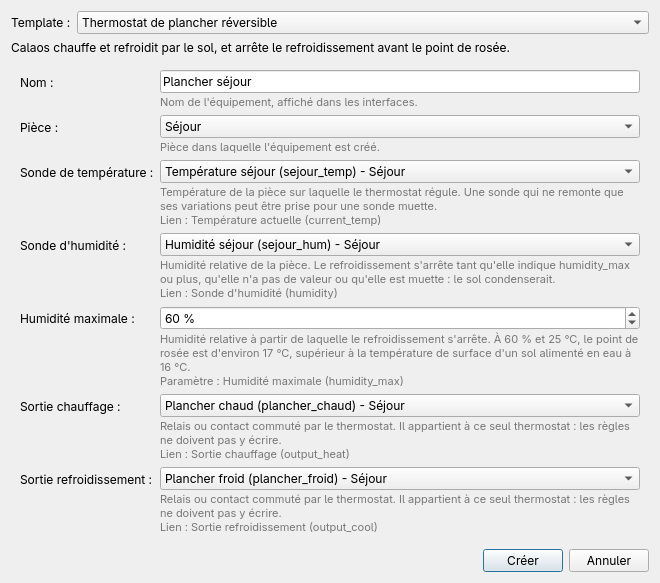 The Reversible floor thermostat template filled in for “Plancher séjour”.
Reversible floor zone
For a floor where a single valve serves for heating and cooling, and where the heat pump reverses the water. Fields: the name, the room, the temperature sensor, the zone valve (an existing relay), the zone modes, an optional humidity sensor and the maximum humidity (60 % by default), used only with that sensor.
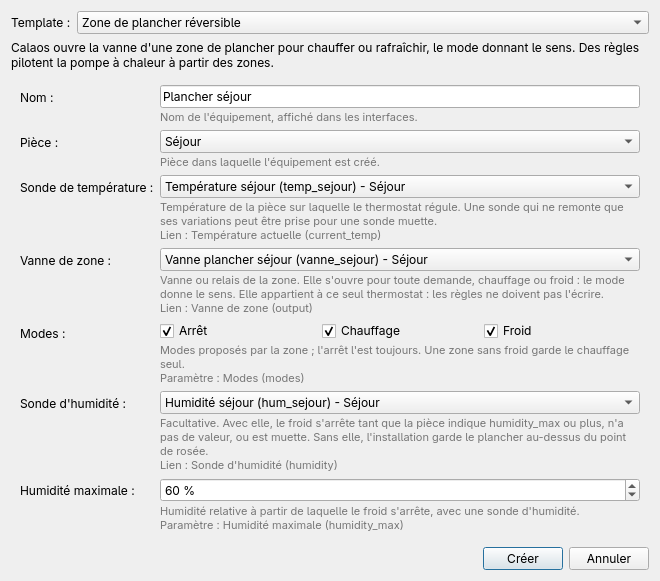 A zone that heats and cools, with its humidity sensor: “Plancher séjour”.
- The ticked modes are the zone’s modes:
offis always offered. A zone that does not cool (bathroom, entrance) only ticks Chauffage (heating): it goes off when the house switches to cooling. - Without a humidity sensor, cooling is allowed with no protection against condensation: the installation must keep the water above the dew point. The server log warns about it at load. With a sensor, the humidity cut applies (see Internal thermostat).
- Defaults: hysteresis 0.5 °C, minimum on and off times 900 s, no gap between setpoints (a zone has no
automode).
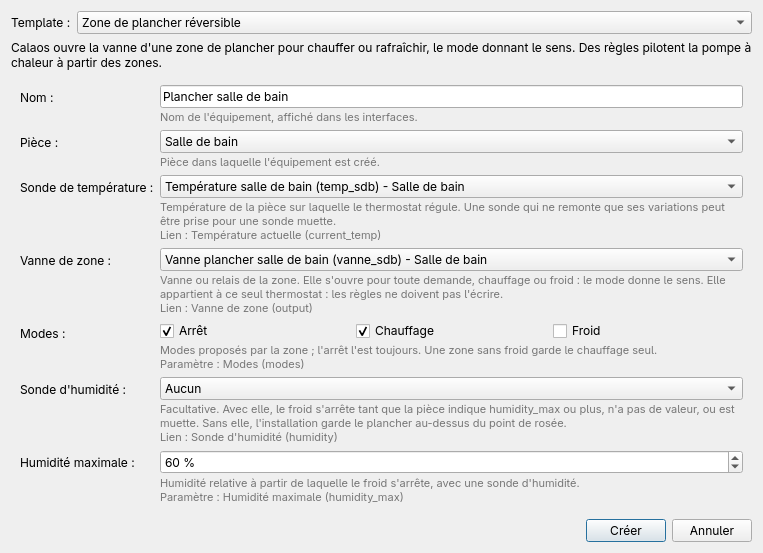 A heating-only zone: “Plancher salle de bain”.
The template does not create a “heat pump” device: the demand to the generator, its two heating and cooling contacts and the house mode are done with rules. See Reversible floor: nine zones and a heat pump.
One relay, one thermostat only
Output lists do not offer a relay already used by another thermostat: an output has a single owner (see Internal thermostat). If the relay is taken, the refusal is explained on screen.
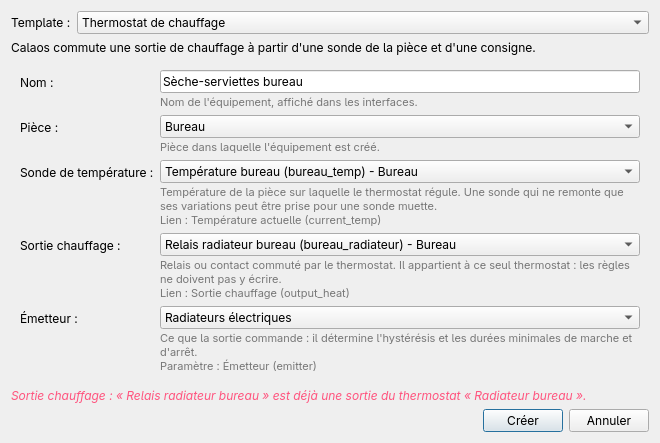 The relay is already driven by another thermostat.
The device in the tree
The device appears in its room, with its owned IOs below. A right click opens the device menu; deleting the device also deletes all its IOs. If an external IO still linked to a device is deleted, or if the deletion affects rules, the installer says so and lists what is concerned before going on.
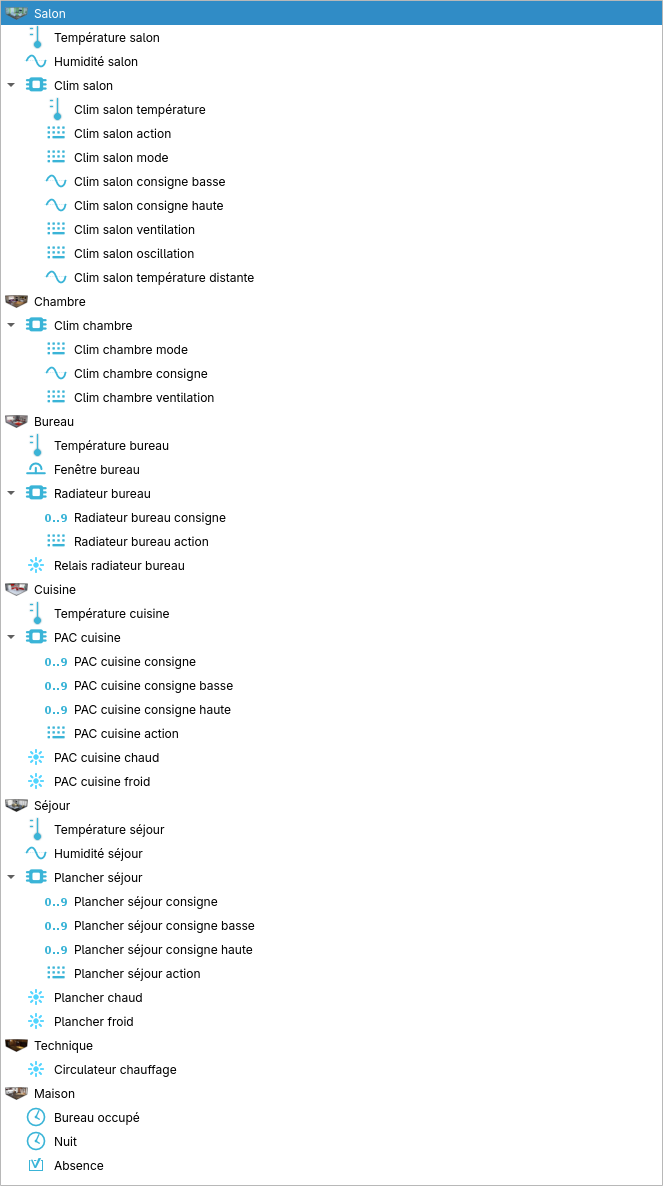 The devices of a house: room, device, owned IOs.
Editing an existing device
No need to recreate a device to change the sensor or the hysteresis: the device editor (right click the device, Propriétés / Properties) changes the links (for example the room sensor) and the parameters (hysteresis, minimum times, modes…) without touching the owned IOs or the rules that use them. The roles and parameters shown come from the server’s embedded documentation: each has its label (the technical identifier is in the tooltip), description, type, bounds and default value. The IOs offered for a link are filtered by type, and an existing link to an IO of another type is shown as “d’un autre type” (of another type) and kept.
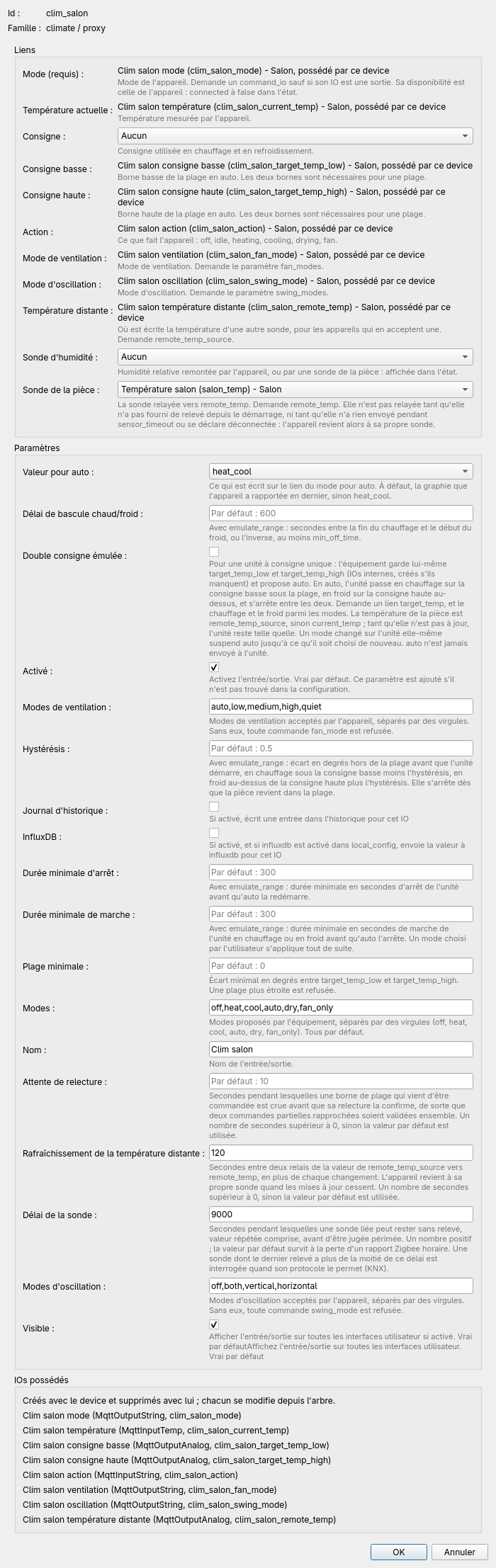 The device editor of “Clim salon”.
Sending to the server
Like the rest of the project, the device only exists on the server after the configuration is sent. Calaos Installer tells the server that it understands devices (io_format 2); a server too old for devices refuses the upload rather than receive a file it does not understand.